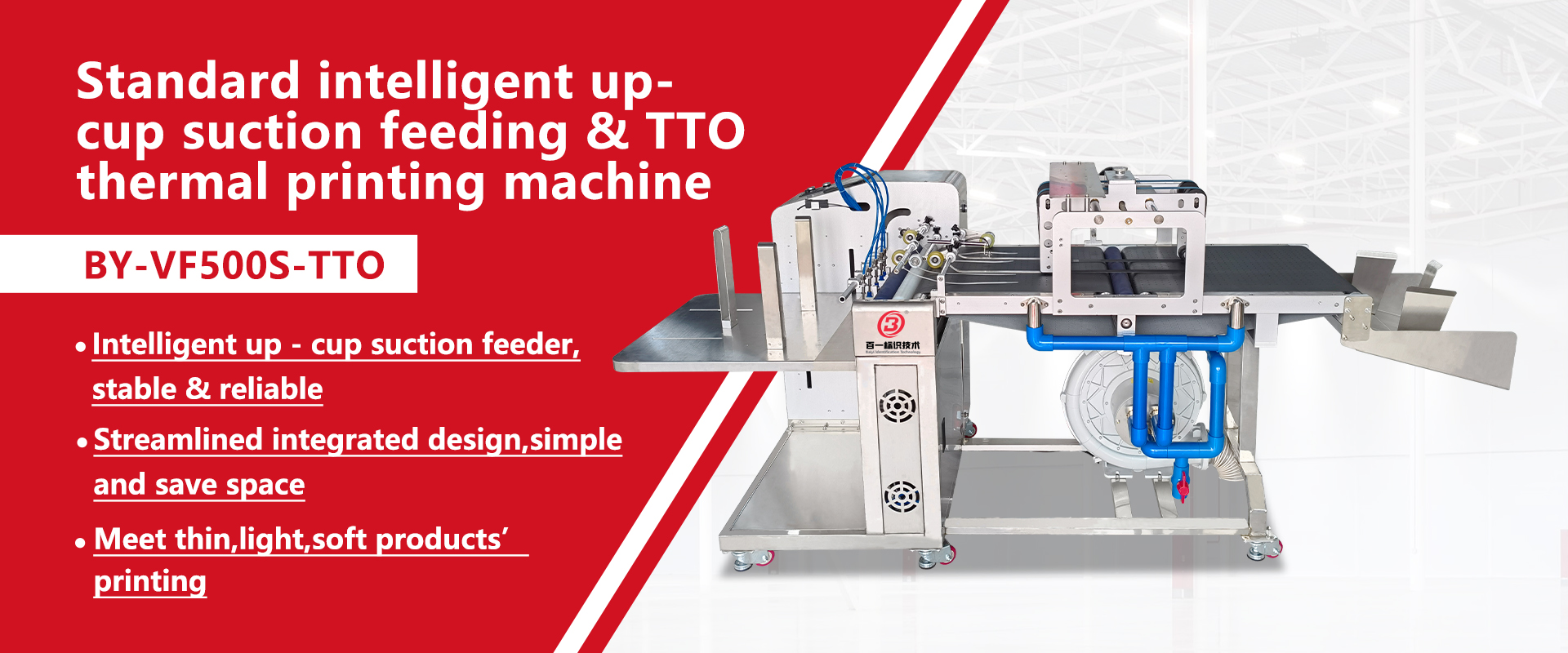
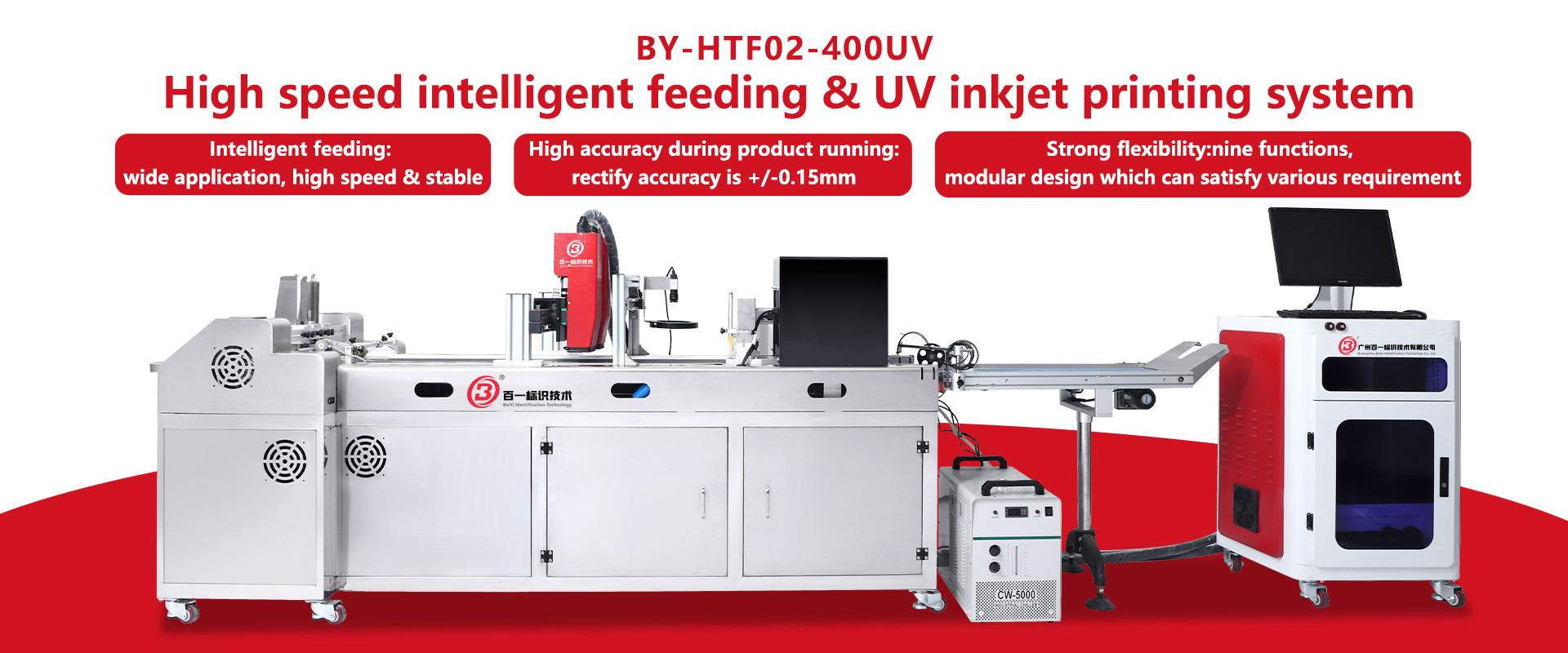

Choosing among Inkjet Printer Manufacturers is rarely a simple price comparison. A production floor tells a different story. Nozzle consistency, ink drying, software stability, and service response can determine whether a print line runs smoothly or stops before lunch.
Frank Romano, a respected printing-industry educator and analyst, once observed, “The printing industry is not dying; it is changing.” That change is visible in faster digital workflows, shorter print runs, variable data, and tighter sustainability expectations. His comment offers a useful warning: a manufacturer should support your future process, not only sell today’s machine.
This guide introduces seven practical tips for evaluating Inkjet Printer Manufacturers. It examines print samples, ink compatibility, resolution, throughput, maintenance, technical support, and total ownership cost. Ask for verified production data. Request samples using your actual substrate, artwork, and target speed. A showroom demonstration may look perfect. Your warehouse environment may not.
Look closely at warranty terms, spare-part availability, operator training, and software integration. Speak with comparable customers, not only selected references. Check whether the manufacturer documents testing procedures and quality controls. Strong suppliers explain limitations clearly. That matters.
The choice will not be flawless. Some specifications remain difficult to compare. Some “best value” claims hide maintenance costs. A careful buyer should record assumptions, challenge unclear promises, and leave room for pilot testing. These seven tips are designed to make that evaluation more evidence-based, practical, and dependable.
Choosing an inkjet printer manufacturer starts with a production brief, not a preferred machine. Define the job in measurable terms: substrate, sheet or web format, monthly volume, resolution, color targets, and delivery windows. Record peak demand, not only average demand. Packaging lines may need waterproof output at 80 meters per minute. Sign shops may value white ink and short runs. Commercial teams should test variable-data quality, drying time, and finishing compatibility. These details reveal the real goal: lower labor, faster turnaround, less waste, or new applications.
Mordor Intelligence estimated the global inkjet printer market at about USD 103.5 billion in 2024, with growth projected through 2029. That scale hides major differences between segments. A high-speed press can be excessive for 5,000 sheets monthly. An inexpensive unit can become costly when maintenance interrupts a two-shift schedule. Use your brief when screening manufacturers. Ask for samples using your actual media, ink coverage, artwork, and finishing process. Request uptime records, maintenance intervals, ink shelf-life data, and service response times. Smithers’ 2024 market outlook identifies packaging, labels, and commercial print as major inkjet growth areas. Still, forecasts are not guarantees. Your own pilot may expose nozzle failures, color drift, or operator training gaps. Measure waste, energy use, changeover minutes, and saleable sheets across several shifts. Do not accept a polished demonstration alone. Small teams may lack a full production lab. That limitation deserves honest scoring, not optimistic assumptions.
Evaluate Manufacturer Experience and Industry Expertise
A manufacturer’s experience should be visible in its processes, not only in its marketing claims. Ask how long it has developed industrial inkjet systems and which materials it regularly handles. A seasoned team understands how ink behaves on coated film, cardboard, metal, and uneven surfaces. Ask for proof.
Inspect the testing area, if possible. Look for controlled print trials, nozzle checks, drying tests, and sample records. Experienced engineers should explain resolution, print speed, ink adhesion, maintenance intervals, and operating limits in practical terms. Their answers should match your production environment. A reliable manufacturer will also discuss limitations instead of promising perfect results.
Industry expertise becomes clearer through technical support. Ask who will install the equipment, train operators, and respond when print quality changes. Request a realistic service process, including spare parts, remote diagnosis, and on-site assistance. I once focused too heavily on machine specifications and overlooked operator training. That mistake created avoidable downtime. Experience is useful, but relevant experience matters more. A supplier serving packaging lines may not understand textile workflows. Review case evidence, test samples with your own materials, and speak with technical staff before making a decision. Test before scaling.
7 Tips for Choosing Inkjet Printer Manufacturers
When comparing inkjet printer manufacturers, examine the printing technology before the price. Continuous inkjet suits fast production lines, while piezoelectric systems can deliver sharper control. Ask about resolution, drop size, curing method, and operating speed. Numbers can mislead. Request printed samples from your actual artwork.
Check whether the printer supports your materials, including coated paper, plastic film, metal, glass, or flexible packaging. Ink adhesion depends on surface energy, texture, and curing conditions. Test real materials. Also review ink options, drying time, color stability, and resistance to moisture or abrasion. A capable manufacturer should explain limitations clearly.
Inspect useful features, such as automated cleaning, nozzle monitoring, adjustable print height, and production data tracking. Confirm software compatibility with your workflow. Ask for installation training, spare-part availability, response times, and written service terms. Evidence matters: request technical sheets, test reports, and references from similar applications. I once trusted a speed claim without checking maintenance intervals, and the actual output was lower. That mistake changed my evaluation process. Leave room for doubt, because factory conditions rarely match showroom demonstrations. A reliable supplier welcomes repeated testing and documents the results. Ask for samples.
Compare printer technology, features, operating costs, and material compatibility before selecting a manufacturer. The chart presents a practical procurement weighting for evaluating inkjet printer suppliers.
Material compatibility and print quality typically receive the highest priority because ink adhesion, drying behavior, resolution, and substrate performance directly affect production results. Throughput, maintenance, ink availability, and total cost should also be reviewed against the intended application.
Choosing an inkjet printer manufacturer requires more than comparing quoted prices. Print quality should be tested on your actual media, including coated stock, labels, and fine text. Request printed samples at production speed, not showroom speed. Check gradients, barcode edges, ink adhesion, and color consistency after several hours. ISO/IEC 24711 defines standardized ink-yield testing, but real yields change with coverage, cleaning cycles, and paper absorption.
Speed figures need context. Ask whether the published rate applies to draft mode, duplex work, or full-color production. During site trials, record pages per minute, warm-up time, stoppages, and recovery after a nozzle fault. Reliability is measurable. Track unscheduled interventions across a fixed print volume, then inspect service response times and spare-part availability. A perfect demonstration proves little.
Operating costs include ink, printheads, maintenance, energy, waste, labor, and rejected sheets. The U.S. Environmental Protection Agency reports that ENERGY STAR office equipment can use 30–75% less energy than standard models, although savings depend on usage patterns. Smithers’ 2024 digital inkjet market analysis also highlights continued adoption in packaging and label applications, where uptime and substrate flexibility strongly affect costs. My practical warning is simple: a low ink price can hide frequent cleaning losses. We once underestimated drying time; the waste rate was higher than expected. Leave room for that uncomfortable number.
When evaluating inkjet printer manufacturers, do not accept quality claims at face value. Ask for current certificates, test reports, and documented production controls. A certificate is useful only when its scope matches the printer you plan to buy. Check the issuing body, expiration date, covered models, and test conditions. Small details matter.
Reliable factories can explain how incoming parts, ink systems, printheads, and finished units are inspected. Request sampling plans, calibration records, defect limits, and corrective-action logs. Quality control should be visible on the production floor, not only in a sales document. Look for serial-number traceability and retained samples from each batch. Ask to see a recent inspection in real time, if practical. That evidence speaks louder.
Independent laboratory testing can confirm output consistency, electrical safety, durability, and environmental performance. Relevant quality systems, such as ISO 9001, should be verified through valid documentation. Still, paperwork can create false confidence. A factory may pass one test while daily controls remain weak. Compare samples from several production dates. Record nozzle alignment, color density, drying behavior, and error rates. Ask how complaints are investigated and how process changes are documented. One honest limitation matters: no audit predicts every failure. Choose a manufacturer that shares evidence, admits gaps, and shows measurable improvement.
Tip 1: Test technical support before signing a contract. Ask how quickly engineers respond to production failures, not just routine questions. Reliable manufacturers provide clear contact channels, diagnostic guidance, and remote troubleshooting. Request a sample service report. It reveals whether their advice is practical or vague. In my experience, fast replies are useful, but accurate replies matter more.
Tip 2: Examine the maintenance program in detail. A dependable supplier should explain cleaning schedules, ink system checks, filter replacement, and preventive inspections. Ask whether technicians provide training at your facility. Watch for simple instructions, labeled parts, and realistic service intervals. Maintenance should fit your working environment, including dust, temperature, and daily print volume. A polished manual is helpful, but operators often need clearer examples.
Tip 3: Check spare parts availability before equipment arrives. Ask which components are stored locally and which require international shipping. Confirm lead times for printheads, pumps, sensors, filters, and control boards. Keep a recommended emergency kit on site. Small parts can stop an entire line. That risk is easy to underestimate.
Review warranty conditions carefully. Confirm who pays for labor, shipping, and replacement parts. Ask how software updates affect older machines. Also, speak with current users about repeated failures and actual response times. Their experience may expose weaknesses that sales documents omit. No supplier is perfect. I once overlooked connector availability, and a minor repair lasted far too long. That mistake changed how I evaluate manufacturer support.
7 Tips for Choosing Inkjet Printer Manufacturers
Pricing is only the opening figure. A lower quotation may hide costly ink, specialized parts, or frequent maintenance. Request a three-year ownership estimate, including ink usage, spare parts, labor, and expected downtime. Ask the manufacturer to print your actual materials before signing. A clean sample today cannot guarantee stable results after months of production.
Cheap is not cheap.
Warranty terms deserve careful reading. Check coverage for printheads, pumps, control systems, and labor. Some warranties exclude parts affected by approved inks, humidity, or heavy daily workloads. Clarify who pays for transport and how quickly technicians must respond. A written service timeline is more useful than a friendly promise. Ask for evidence, including anonymized service records or customer references from similar factories.
Long-term value depends on measurable support. Compare training hours, remote diagnostics, software updates, and spare-part availability. A reliable manufacturer should explain maintenance intervals in practical detail. They should also disclose limitations, not only advertise maximum speed. During one evaluation, a cheaper machine looked attractive until its consumable costs changed the calculation. I still underestimated operator training, which affected early productivity. That mistake showed why total business value includes people, learning time, and predictable support—not merely the purchase price.
| Tip | Evaluation Dimension | Typical Market Reference or Target | What to Compare | Documents or Tests to Request | Long-Term Business Value |
|---|---|---|---|---|---|
| 1 | Total Acquisition Cost |
Budget Planning Compare the complete purchase package rather than the printer body alone. Include printheads, controllers, installation, software, training, and initial consumables. |
Is the quoted price itemized? Are installation and operator training included? Are required accessories priced separately? |
Itemized quotation, delivery schedule, installation scope, and a list of included and excluded components. | Reduces unexpected start-up expenses and improves the accuracy of capital-budget planning. |
| 2 | Consumable Cost per Print |
Operating Cost Calculate ink, make-up fluid, cleaning solution, printhead replacement, and waste costs per print or per production unit. |
How is ink consumption measured? What assumptions are used for coverage, font size, resolution, and duty cycle? Are prices protected by a contract? |
Sample production test, consumption report, current consumables price list, and a written cost-per-print calculation. | A small reduction in recurring consumable cost can materially improve margins over several years of production. |
| 3 | Print Quality and Application Fit |
Performance Fit Assess resolution, line sharpness, contrast, adhesion, drying time, barcode readability, and resistance to the actual substrate and environment. |
Can the system print on the required materials and product speeds? Does performance remain stable across different temperatures and humidity levels? |
Printed samples using the company’s materials, independent quality inspection, readability results, and customer-approved acceptance criteria. | Prevents rejected products, rework, customer complaints, and costly process changes after installation. |
| 4 | Productivity and Reliability |
Uptime Evaluate rated speed, warm-up time, restart performance, fault frequency, maintenance intervals, and recovery time after stoppages. |
What is the realistic throughput under normal operating conditions? How quickly can operators recover from a blocked nozzle or system alarm? |
Factory acceptance test, field reference data, service logs, uptime definition, and a production trial lasting long enough to reveal recurring faults. | Higher effective uptime protects production capacity and lowers the cost of unplanned downtime. |
| 5 | Warranty and Service Coverage |
Risk Control Compare warranty duration, parts coverage, labor coverage, response targets, exclusions, travel charges, and coverage for printheads and pumps. |
When does the warranty begin? Which parts are excluded as consumables? Is remote or on-site technical support included? |
Full warranty terms, service-level agreement, escalation process, spare-parts policy, and regional support contact details. | Limits repair exposure and provides a clearer financial safety net during the early operating period. |
| 6 | Maintenance, Training, and Parts Availability |
Operational Continuity Prefer documented preventive-maintenance procedures, accessible training, clear spare-parts lead times, and service capability near the installation site. |
How many hours of operator training are provided? Which maintenance tasks can be completed internally? What is the normal lead time for critical parts? |
Maintenance schedule, training syllabus, spare-parts inventory policy, service coverage map, and technician qualification records. | Builds internal capability, reduces dependence on emergency visits, and helps keep production running. |
| 7 | Five-Year Total Cost of Ownership and Scalability |
Strategic Value Model purchase cost, consumables, labor, maintenance, energy, software, downtime, upgrades, and disposal over at least five years. |
Can the system support future line speeds, additional print stations, new substrates, or variable-data requirements? Are upgrades available without replacing the complete system? |
Five-year TCO model, upgrade price list, integration specifications, energy information, and a written lifecycle-support commitment. | Identifies the option with the strongest combination of predictable costs, flexibility, and return on investment. |
A standard rewinder with a UV inkjet printer is a practical solution for efficient label finishing and roll-to-roll production. Designed for both labels and packaging film, the system combines controlled unwinding, accurate conveying, UV inkjet printing, and rewinding in one flexible platform. Models such as BY-SR500-TTO, BY-SR500-UV, and BY-HR450-UV can be configured according to different material widths, roll structures, and coding requirements. This makes the equipment suitable for variable data, batch information, barcodes, and other essential marks on label rolls or film rolls.
A 7-inch color HMI, PLC, and microcomputer provide clear operation and real-time monitoring. Operators can adjust parameters for different paper labels and films, while the system controls linear release and collection, variable lifting speed, and anti-loosening performance during machine stops. White-mark or swatch sensing supports precise registration, and an optional automatic web-rectifying system can further improve printing accuracy. Its modular design also allows users to select the appropriate printing and handling functions, helping reduce setup complexity and maintain consistent finishing quality across changing production tasks.
Compare the printing method before comparing price. Continuous inkjet suits fast production lines. Piezoelectric systems offer precise drop control. Ask about resolution, drop size, curing, and operating speed.
Request samples using your actual artwork and materials. Check gradients, fine text, barcode edges, and color consistency. Test samples at production speed. Showroom results can mislead.
Confirm compatibility with coated paper, plastic film, metal, glass, and flexible packaging. Ink adhesion depends on surface energy and texture. Test real materials, not only sample sheets. Surface conditions matter.
Ask whether the rate applies to draft mode, duplex work, or full-color production. Record pages per minute during a site trial. Also record warm-up time, stoppages, and recovery after nozzle faults. Numbers need context.
Include ink, printheads, maintenance, energy, waste, labor, and rejected sheets. Cleaning cycles can consume more ink than expected. Drying time may increase waste. I once missed that detail.
Track unscheduled interventions across a fixed print volume. Check performance after several continuous hours. Measure recovery time after common faults. A perfect demonstration proves little.
Ask about response times, diagnostic guidance, remote troubleshooting, and on-site training. Request a sample service report. Clear instructions matter during a sudden stoppage. Fast replies are not always accurate.
Confirm availability for printheads, pumps, sensors, filters, and control boards. Ask which parts are stored locally. Check international shipping times. Keep a small emergency kit on site. Small parts can stop a line.
Choosing the right Inkjet Printer Manufacturers requires more than comparing equipment prices. Start by defining your printing requirements, production volume, target materials, and future business goals. Then evaluate each manufacturer’s industry experience, technical expertise, and ability to provide technology that matches your application. Important factors include print quality, production speed, reliability, material compatibility, operating costs, and the flexibility of available features.
It is also essential to verify product standards, certifications, testing procedures, and quality-control practices. Reliable technical support, maintenance services, training, and access to replacement parts can significantly reduce downtime. Finally, compare pricing alongside warranty coverage, service terms, expected equipment lifespan, and overall return on investment. A manufacturer offering the lowest initial price may not provide the best long-term value. By considering performance, support, compliance, and total ownership costs together, businesses can select a dependable printing partner that supports consistent production and sustainable growth.