

Alright, so picking one of the 10 best UV inkjet printer manufacturers in 2026? It’s not just about who has the fastest speed or the highest resolution on paper. Seriously, a printer can look amazing in a brochure, then completely struggle with white ink on dark acrylic—or leave patchy, uneven coverage on textured panels. You really need to get hands-on with print samples, check ink adhesion and curing consistency, think about maintenance access, and see what kind of technical support you’d actually get. In the end, those real-world details can matter a lot more than a fancy top-line spec.
So, you're looking at UV inkjet printers? This guide walks you through the real-world stuff you should actually compare—not just specs. We get into application range, print quality, machine configuration, workflow fit, and what after-sales support really looks like. Also, do manufacturers clearly break down operating costs? You know, ink consumption, routine maintenance—that kind of thing. And don't underestimate the little stuff. A clogged nozzle in the middle of a production run? That's not a minor annoyance. That's a big deal. Just to be clear, this comparison is meant to help you make a more informed choice—not to take the place of a real hands-on demo or an actual application test. Your results can vary quite a bit depending on the materials you use, your settings, and how comfortable the operator is with the equipment. One thing I should flag: I didn’t include any outside sources or quotes from named experts, because there weren't any verifiable ones available. I’d rather not make up a fake specialist just to sound more authoritative. So before you commit to buying, I’d recommend reaching out to each manufacturer on your shortlist and asking them to run a test print on your own substrate—and get the proposed setup confirmed in writing. Even a really thorough comparison can’t predict exactly what’ll happen in every shop, but it should put you in a better position to ask the right questions. Yeah, that's definitely something worth keeping in mind.

How UV Inkjet Printing Works
UV inkjet printing places tiny ink droplets directly onto a surface, then cures them with ultraviolet light. In many systems, piezoelectric printheads push droplets through fine nozzles without heating the ink. The printer may lay down color, white ink, or a clear coating in separate passes. Surface cleanliness matters: dust or oil can weaken adhesion, especially on glass, metal, and plastic.
The UV lamp or LED supplies energy to photoinitiators in the ink. These compounds trigger polymerization, linking liquid ingredients into a solid film. The ink does not dry mainly by evaporation. It cures quickly, but “instant” does not mean foolproof. Lamp intensity, distance, ink formulation, and print speed all affect the result. Poor curing may leave a tacky surface; excessive exposure can affect color or flexibility. The Grand View Research UV-curable inks report estimated a global market value of USD 4.02 billion in 2023 and projected 9.1% annual growth from 2024 to 2030. That figure covers UV-curable inks broadly, not UV inkjet alone. A useful test is a small print run, checked for adhesion and surface feel before production.
How a Standard Rewinder with a UV Inkjet Printer Streamlines Label Finishing
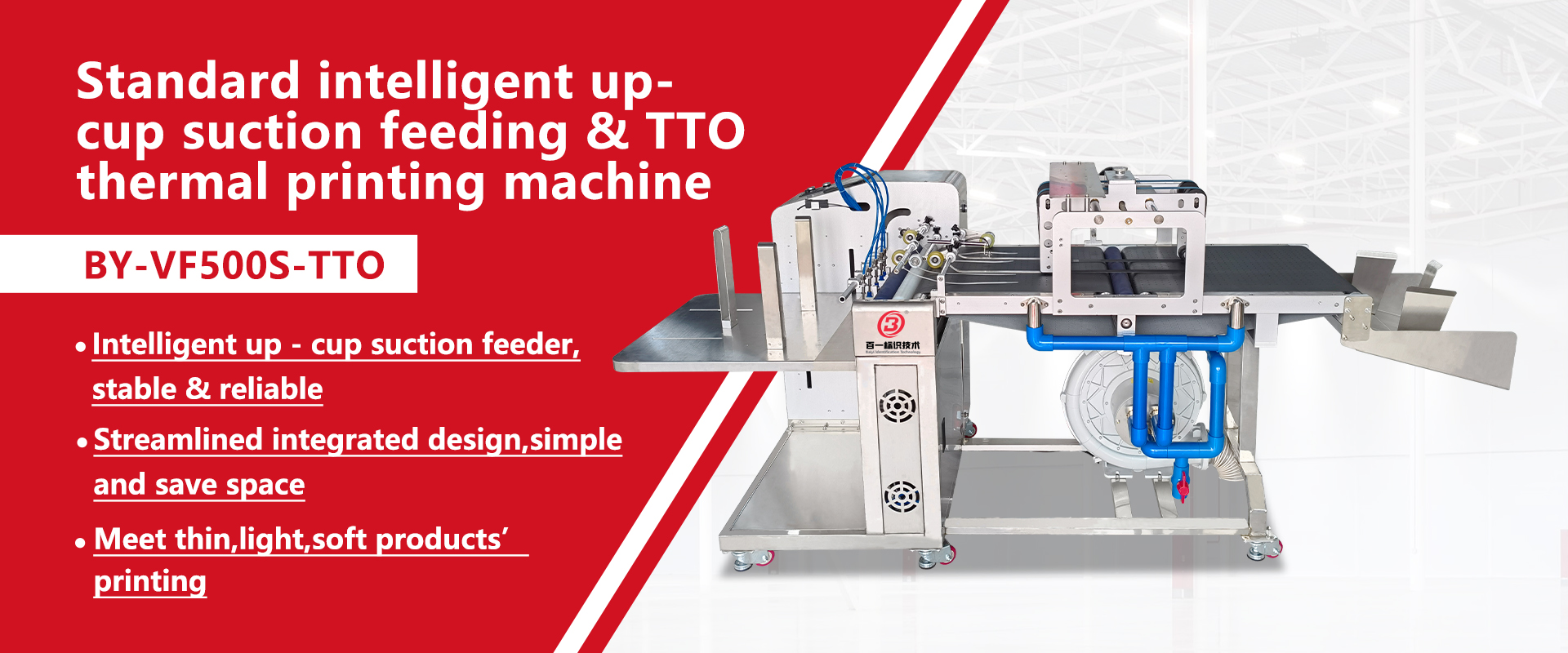
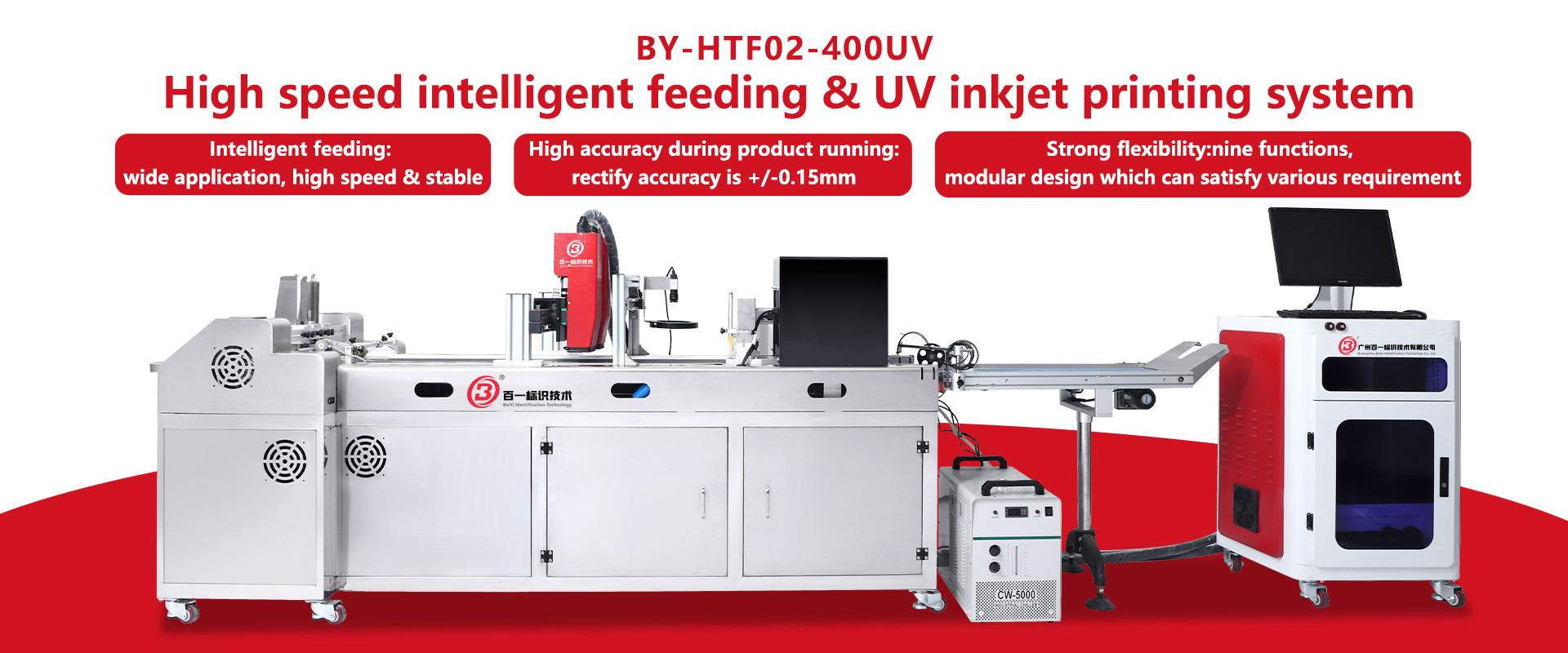
A standard rewinder with a UV inkjet printer brings printing and rewinding together in one finishing workflow. It can handle both roll labels and packaging film, helping reduce the need to move materials between separate machines. Its modular design allows users to select a configuration suited to their production needs, including UV printing or, where required, a TTO printing system. This flexibility makes the equipment useful for different substrates and coding tasks.
A 7-inch color HMI, PLC, and microcomputer provide straightforward control. Operators can adjust settings to suit the structure and characteristics of paper labels or film, while the interface monitors operation in real time and alerts users to issues. Controlled, linear unwinding and rewinding, adjustable lifting speed, and anti-loosening operation when the machine stops help maintain consistent material handling. White-mark and swatch sensing support accurate positioning, and an optional automatic correction system can further improve print alignment. These features help streamline label finishing while giving operators practical control over changing production requirements.

FAQS
The printer places tiny ink droplets directly onto a surface. Ultraviolet light then cures the ink into a solid film. It is not mainly dried by evaporation. Small tests help.
Common options include glass, metal, acrylic, wood, ceramic tiles, plastics, films, and coated cartons. Actual results depend on the surface and printer setup.
Dust or oil can weaken adhesion, especially on glass, metal, and plastic. Clean the material before printing. Even a small amount can matter.
No. Lamp intensity, distance, ink formulation, and print speed affect curing. A print may look glossy but still scratch or peel during handling.
Print a small sample using normal production settings. Check its surface feel and adhesion. A tacky finish may indicate poor curing.
Use your own material, such as textured acrylic or coated metal. Review fine text, color coverage, adhesion, and curing. Keep the settings and results.
Request estimates for ink use, cleaning, replacement parts, and service response times. Ask about training and remote troubleshooting. Vague promises are difficult to compare.
Consider purchase price alongside maintenance, parts, installation, and expected operating costs. Estimates can change with artwork and production habits. I may be overvaluing a showroom sample; real jobs can be less tidy.
Conclusion
This article explores how UV inkjet printing works, explaining how ultraviolet light cures ink as it is applied to a surface. It outlines the main printer types, including flatbed, roll-to-roll, and hybrid systems, and compares the factors buyers may consider in 2026, such as print quality, speed, supported materials, reliability, operating costs, and service support. It also profiles ten leading Uv Inkjet Printer Manufacturers without focusing on brand names, highlighting the kinds of capabilities and solutions available across the market.
The article also surveys industries and materials served by UV inkjet printers, from signage and packaging to product decoration and customized interior applications. Its final section offers practical guidance for choosing a manufacturer, encouraging readers to match printer configuration and performance with their production needs, budget, workspace, and plans for future growth.
Related Posts
-

What Is a UV Inkjet Printer Manufacturer?
-

Top UV Inkjet Printer Manufacturers in China
-

Best UV Inkjet Manufacturers for Quality Printing Solutions?
-

2026 Best Uv Inkjet Printer Manufacturers Guide and Tips?
-

Top High-Speed Feeder Factory Options for Global Buyers?
-

Top 10 China ODM Automatic Belt Printing Machines to Buy?


